
AI agents are moving into data workflows fast. Here’s what they automate, what they don’t, and how the analyst’s job actually shifts as a result.
Key Takeaway: AI agents aren’t here to replace the data analyst; they’re here to remove the parts of the job that were never really analysis: pulling reports, cleaning tables, chasing numbers. What’s left is judgment, context, and decisions that still need a human sign-off.
A retail team once spent two full days every month just assembling a regional sales report before anyone could ask why the numbers moved. That gap between pulling data and understanding it is exactly where AI agents are being deployed first. In this guide, we look at what these agents actually automate, how they differ from the scripts analysts already use, and what a real workflow looks like once one is in place.
What AI Agents Actually Automate in a Data Workflow
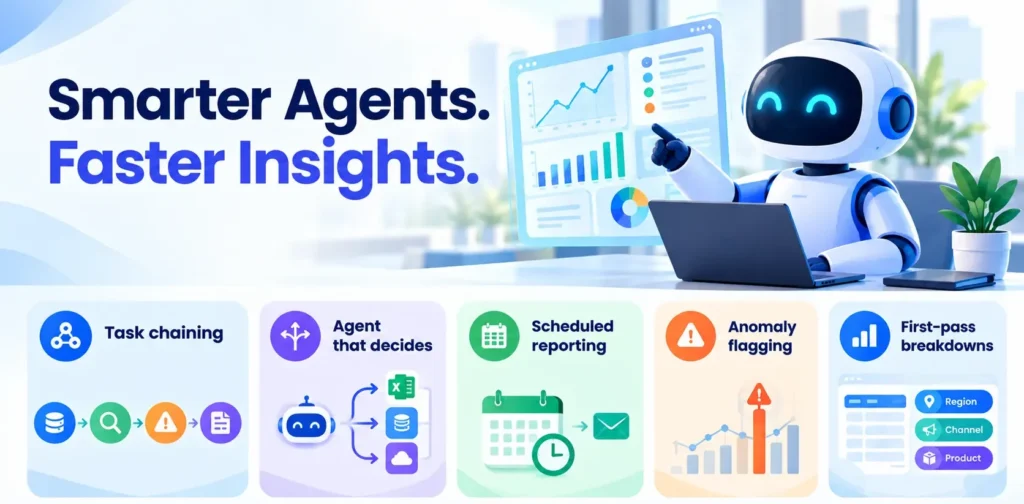
Most of what an AI agent does in analytics is task chaining: pulling data, running a check, flagging an anomaly, and drafting a summary without a human triggering each step.
Agent: unlike a single script, it decides which tool to call next based on what it finds.
- Scheduled reporting: generates and sends recurring reports automatically, formatted and ready to read.
- Anomaly flagging: scans for outliers against historical baselines and surfaces only what’s worth a second look.
- First-pass breakdowns: runs standard cuts by region, channel, and product before an analyst opens the file.
AI Agents vs. Traditional Automation: What’s the Difference?
A scheduled SQL job runs the same query every time, regardless of what the data shows. An AI agent inspects the result first and decides whether to dig deeper, escalate, or move on. Traditional automation follows a fixed path; an agent follows a goal.
Case Study: A Revenue Dip in the Western Region
Problem: A mid-sized D2C brand saw monthly revenue from Maharashtra drop 12%, with no clear reason flagged.
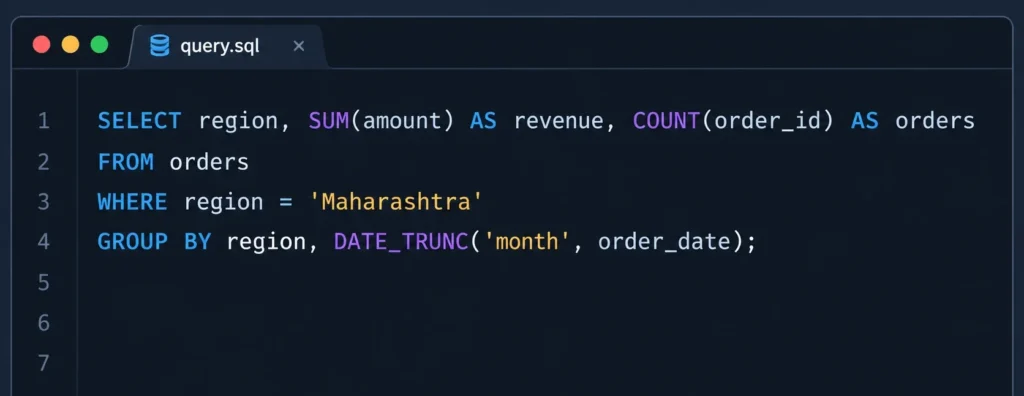
Method: An agent ran this automatically, compared it against the prior three months, and flagged that order count had dropped while average order value hadn’t moved.
Insight: The dip wasn’t pricing; a lapsed acquisition channel had quietly stopped delivering leads.
Recommendation: The team reallocated ad spend within the week, instead of catching it during the next manual review.
Wrapping Up
Knowing agents exist is different from working alongside them, reading their output critically, catching a wrong flag, and turning it into a business decision. That’s the layer we build into our data analytics program at SBS, alongside the SQL, Python, and Excel foundations these agents still depend on.