
AI now shapes web development from planning to deployment, not just autocomplete. Here’s how AI-first workflows, design-to-code tools, and coding agents are changing the job for developers in 2026.
A small agency in Pune used to spend three weeks turning a client’s Pinterest mood board into a working homepage. In 2026, that same handoff mood board to deployed frontend can take an afternoon. In this guide, we will look at how AI moved from a coding assistant to a full participant in web development, where it still falls short, and what that means for anyone building websites today.
Development Used to Start With a Blank Editor. Now It Starts With a Prompt
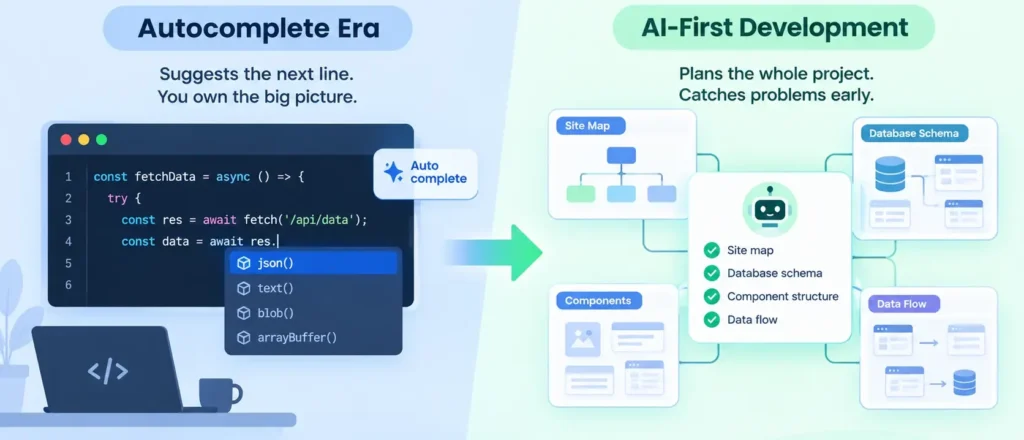
Until recently, AI in web development meant autocomplete: a tool suggesting the next line while a developer still owned the architecture. That role has changed. Developers increasingly bring AI in at project inception, using it to plan site maps, define database schemas, and sketch component structure before a single file exists.
Autocomplete-era AI focuses on finishing the line a developer is already writing. AI-first development focuses on reasoning through the whole project: what pages exist, how data flows between them, which components get reused before any code exists.
This shift matters because early mistakes are the expensive ones. A schema designed badly in week one can cost weeks of rework in month three, so having AI reason through structure upfront catches problems while they are still cheap to fix.
From Mood Board to Working Frontend: Design-to-Code Tools
Design-to-code tools now let developers generate a cohesive visual system from little more than intent. Google Stitch, paired with a code-generation agent like Claude Code, lets a developer describe a layout in plain language and feed in reference images from Pinterest or Dribbble.
“Can you make the dashboard feel like the admin panel in this screenshot, but with our brand colours?” is now a workable prompt, not a joke, and the output is often a usable React and Tailwind CSS frontend, not a static mockup.
For a freelance developer billing ₹40,000–₹60,000 for a small business site, this compresses what used to be a week of layout work into a day of prompting and refinement.
Code Assistants Are Now Inside the Codebase, Not Just the Editor
Modern coding agents such as GitHub Copilot and Claude Code have moved beyond single-file suggestions. They now hold context across an entire repository, which lets them manage theme files, write plain CSS or markup, and scaffold new pages consistent with existing conventions.
GitHub Copilot focuses on in-editor suggestions as a developer types, reacting to the current file. Claude Code focuses on repository-wide tasks refactoring a component library, renaming a database field across every reference, or building a feature end to end from a single instruction.
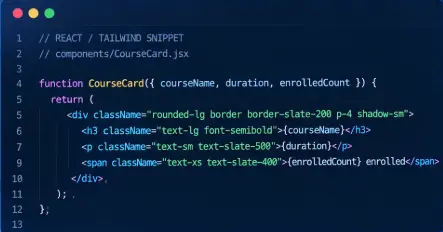
Scenario: A developer asks an AI agent to add a “seats remaining” badge to every course card across a 40-page site.
Lesson: Because the agent holds repository-wide context, it finds every instance of the CourseCard component and updates them consistently, instead of the developer hunting through files one by one.
Testing and Security Run in the Background Now
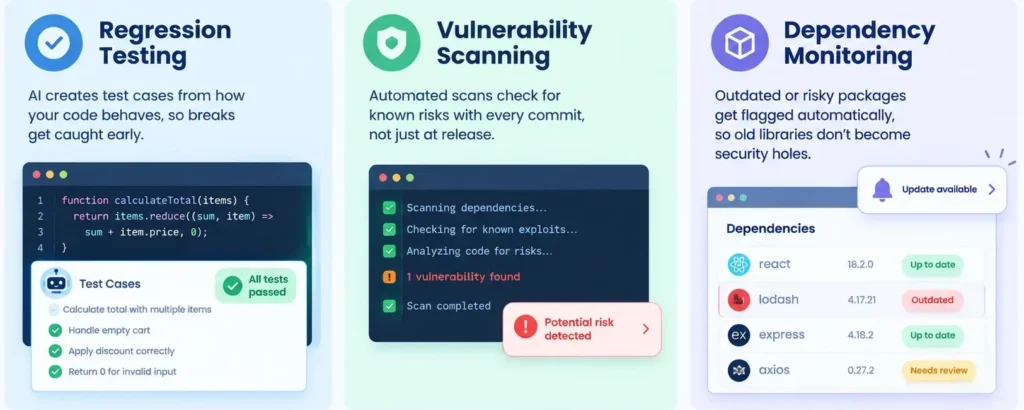
AI-driven testing tools scan code for vulnerabilities as it’s written, rather than waiting for a scheduled audit. They flag common issues, such as unescaped user input, outdated dependencies, and misconfigured permissions in real time.
- Regression testing: AI tools generate test cases from existing code behaviour, catching breaks before a page goes live.
- Vulnerability scanning: Automated scans check for known exploits on every commit, not just at release.
- Dependency monitoring: Outdated or risky packages get flagged automatically, reducing the chance a forgotten library becomes an entry point.
Personalization and Content at Scale
Beyond the build itself, AI now shapes what a website does after launch. Dynamic content delivery adjusts what a visitor sees based on behaviour, AI-powered chatbots handle first-line support, and automated SEO tools suggest structural changes to improve how pages rank.
For content-heavy sites, this blurs the line between “developer work” and “content work”; the same AI tooling that writes a component can also draft metadata or suggest internal links.
Where AI-Generated Code Still Needs a Human Check
AI in web development is not without friction, and ignoring its limits causes real problems down the line.
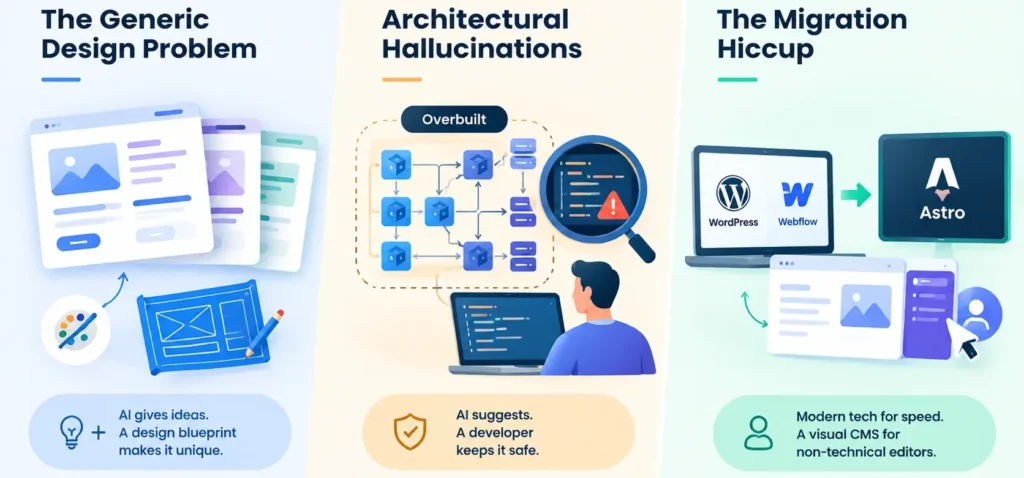
- The Generic Design Problem: Pure AI-generated layouts tend to converge on the same visual patterns the same card shadows, the same hero-section proportions because the underlying models are trained on similar inputs. Teams wanting a distinct identity now combine AI output with a structured design blueprint rather than accepting the first draft.
- Architectural Hallucinations: Left unchecked, coding agents sometimes overbuild, adding microservices or abstraction layers a small site never needed or introduce subtle security gaps. Code review by an experienced developer remains necessary, not optional.
- The Migration Hiccup: AI tools can shift a legacy WordPress or Webflow site to a modern framework like Astro reasonably well. But complex production sites with non-technical editors sometimes have to partly revert to a visual CMS, because marketing teams still need to update a page without touching code.
- Check for unnecessary complexity: If an agent proposes multiple services for a simple contact form, that’s a signal to simplify, not accept.
- Check dependency changes: Review any new package an agent adds before merging; it may not be the safest option available.
| Tool | Primary Role | When a Developer Uses It |
| GitHub Copilot | In-editor code suggestion | Writing a function or component while staying in one file |
| Claude Code | Repository-wide agent | Refactoring across files, migrations, end-to-end feature builds |
| Google Stitch | Design-to-code generation | Turning a mood board or reference image into a UI starting point |
Case Study: Rebuilding an Ed-Tech Site in Nine Days
Problem: A Mumbai-based ed-tech startup needed its five-year-old WordPress site rebuilt on a faster framework before an admissions deadline, with only three weeks and one developer.
Method: The developer used Claude Code to migrate the theme and page templates to Astro, prompted Google Stitch with existing brand screenshots to keep visual continuity, and relied on AI-driven testing to catch broken links across all 60 migrated pages.
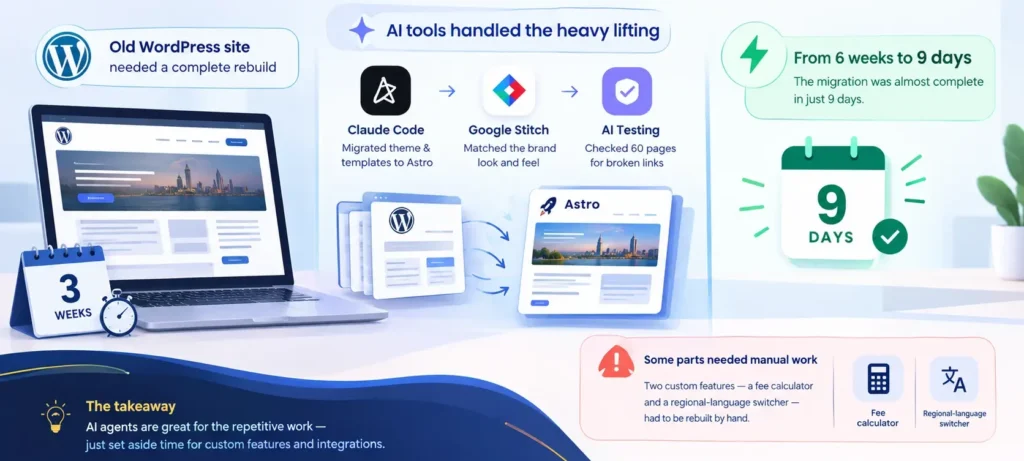
Insight: The migration that would normally take six weeks of manual rebuilding was functionally complete in nine days, but two of the original WordPress plugins a custom fee calculator and a regional-language switcher had no clean equivalent and had to be rebuilt by hand.
Recommendation: Use AI agents to handle the bulk, repetitive migration work, but budget separate time for any custom functionality that depends on plugins or integrations the AI hasn’t seen before.
Next Steps
Understanding how AI changes web development is useful even outside a coding career the same shift toward AI-first thinking is reshaping how teams work with data, tools, and automation across every technical role. At SBS, we built our data analytics program around exactly this kind of practical, tool-aware learning, so you leave knowing how to work alongside AI rather than compete with it.