Most data teams still stitch pipelines together by hand: one script triggers the next, someone checks a dashboard, and errors get caught only when a report looks wrong. AI orchestration replaces that chain reaction with a system that plans, sequences, and corrects itself.
Key Takeaway: AI orchestration isn’t about replacing the analyst’s judgment with automation; it’s about removing the manual hand-offs between tools so the analyst can spend time on the decisions a pipeline can’t make on its own.
Picture a retail analytics team pulling sales data from three regional databases every Monday, cleaning it in Python, and pushing it into a dashboard by hand. In this guide, we’ll look at what AI orchestration actually does, how it differs from a standard automated pipeline, and where analysts still need to step in.
What Is AI Orchestration?
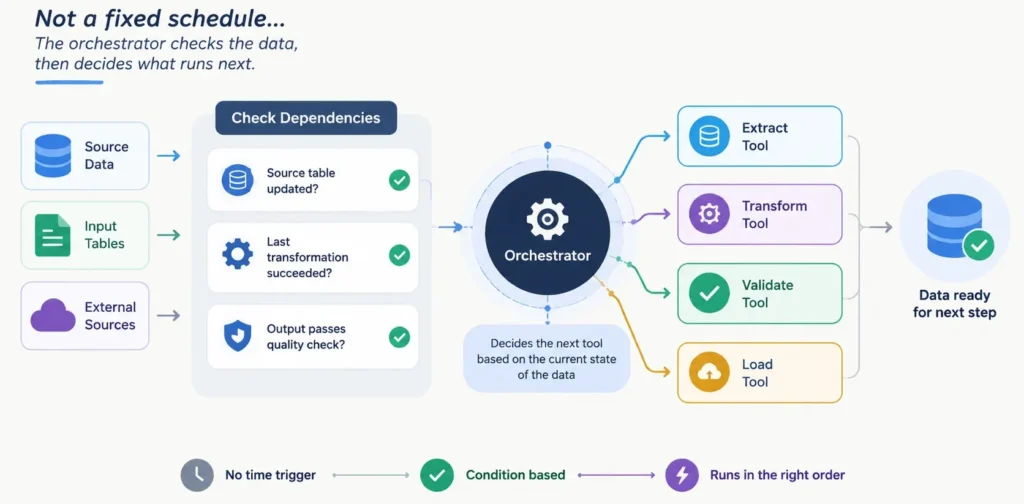
An orchestration layer decides which tool runs next based on the state of the data, not a fixed schedule. Instead of a script that runs at 6 a.m. regardless of whether yesterday’s data arrived, an orchestrator (a system that sequences tasks by condition rather than time) checks dependencies first: has the source table updated, did the last transformation succeed, does the output pass a quality check.
Manual Pipelines vs Orchestrated Workflows
| Approach | Trigger Logic | Failure Handling |
| Manual/scheduled | Fixed time, regardless of data state | Analyst discovers errors after the fact |
| AI-orchestrated | Data readiness and validation checks | Retries or flags issues before output ships |
Case Study: Cutting a Weekly Reporting Cycle from Two Days to Two Hours
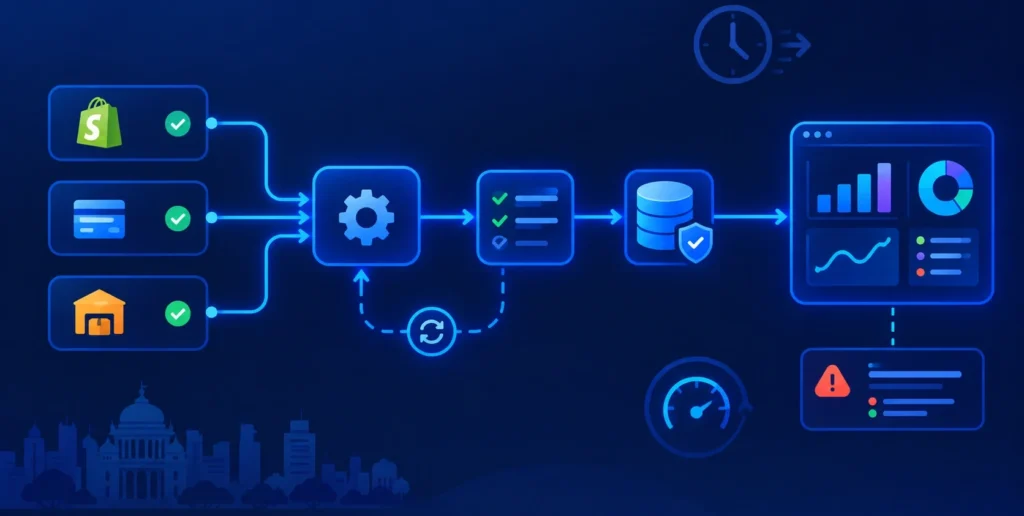
Scenario: A Bengaluru-based e-commerce analytics team spent roughly 14 hours a week reconciling order data from Shopify, a payment gateway, and a regional warehouse system before building their Monday dashboard.
Method: They introduced an orchestration tool that triggered each extraction only after the source confirmed a successful nightly sync, ran validation checks on row counts and null values, and auto-retried failed steps before notifying the analyst.
Insight: The bottleneck wasn’t the SQL or the dashboard logic; it was the 40 minutes each Monday spent manually checking whether every upstream system had actually updated.
Recommendation: The team now reviews only the exceptions the orchestrator flags, cutting the reporting cycle from two days to under two hours.
Common mistake: Treating orchestration as “set and forget” pipelines still need an analyst to define what a valid data state actually looks like.
Conclusion
Orchestration tools reward analysts who already understand SQL, data validation logic, and how pipelines fail, not just how to build a dashboard. At SBS, our data analytics program builds that foundation before layering on automation and AI tooling, so you’re ready to configure these systems, not just wait for them to break.